






Almost all LED starry sky problems are decided before you even pick up the drill. We say this based on our shop's figures: after installation, Oniroview support receives very few calls, and the most frequent case is just a single spotlight that needs replacing. The real questions come before purchasing. Here you will find the answers to those questions and, if something goes wrong, a table to resolve it in a few minutes.
(If you still need to design the system, start with the complete guide on how to build a LED starry sky)
The rule that prevents almost everything: drill and wire the board before installing it
The starry sky should be thought of as a job for a drywall installer, not as work on a finished ceiling. The correct sequence is as follows:
- The drywall installer drills the boards on the floor or on trestles, before fixing them, using a 13 mm drill bit and following the layout marked in pencil.
- Insert the spotlights and wire the flat cable on the back of the board, while the board is still within reach.
- Test the lighting by connecting the power supply.
- Only after that, fix the board to the ceiling, connecting the lines of the various boards together.
By working this way, the cables stay tidy, nobody has to wire a hundred points with arms raised, metal profiles are visible and can be avoided, and a faulty spotlight is discovered before closing up. Drilling a ceiling that is already mounted is possible, but it is the longest and riskiest path.

Troubleshooting table: symptom, cause, solution
| Symptom | Probable cause | What to do |
|---|---|---|
| No spotlights turn on | No power to the supply, reversed output polarity, dimmer turned off | Check the 230V input, check red/black on the output, test by bypassing the dimmer |
| A single spotlight is off | Connector not fully inserted or faulty spotlight | Reconnect the quick connector. If it remains off, replace the spotlight (see below) |
| Multiple spotlights burnt out after a short time | Unstabilized power supply, over 12.5 Vdc | Measure the open-circuit voltage with a multimeter: if it exceeds 12.5 V, change the power supply before replacing the spotlights |
| Weak light or flickering on the entire system | Underpowered power supply | 0.3 W × number of spotlights + 20% margin: for 100 spotlights at least 36 W |
| Humming or regulation not working | Dimmer for 230V lamps instead of a 12V dimmer | You need a 12V LED dimmer between the power supply and the spotlights: dimmer guide |
| The spotlight does not lock into the hole | Hole other than 13 mm or forced clips | Always use a 13 mm bit, test first on a scrap piece. The clips are thin: do not force them |
| The effect is disappointing: "doesn't look like a sky" | Too few points or grid layout | About 6 points per m² and an irregular layout: guide to calculating light points |
Replacing a spotlight: one minute, without redoing anything
It is the only intervention we actually see after installation, and it is the simplest. Each spotlight has a male/female quick connector on the cable:
- pull the spotlight out of the hole by pressing on the clips;
- disconnect the connector;
- connect the new spotlight;
- put it back in the hole.
No cutting, no caps to redo, no false ceiling to open. The replacement can be purchased individually: single transparent spotlight or single silver spotlight, in the same shade as the ones installed.
The right spotlight: the only real purchase mistake
Returns on starry sky kits are almost non-existent. When it happens, the reason is the wrong spotlight. Two choices to make before ordering.
Silver or transparent
- Silver: the silver ring is visible, even when the light is off. During the day, the ceiling shows many small metallic dots: this is fine if the detail is intentional.
- Transparent: the body takes on the color of the ceiling and is much less noticeable. It is the choice for those who want the stars to "disappear" when the system is off.
When the light is on, the effect is very similar: make the choice by looking at the ceiling during the day.
Clip-on spotlight or nut-fastened spotlight
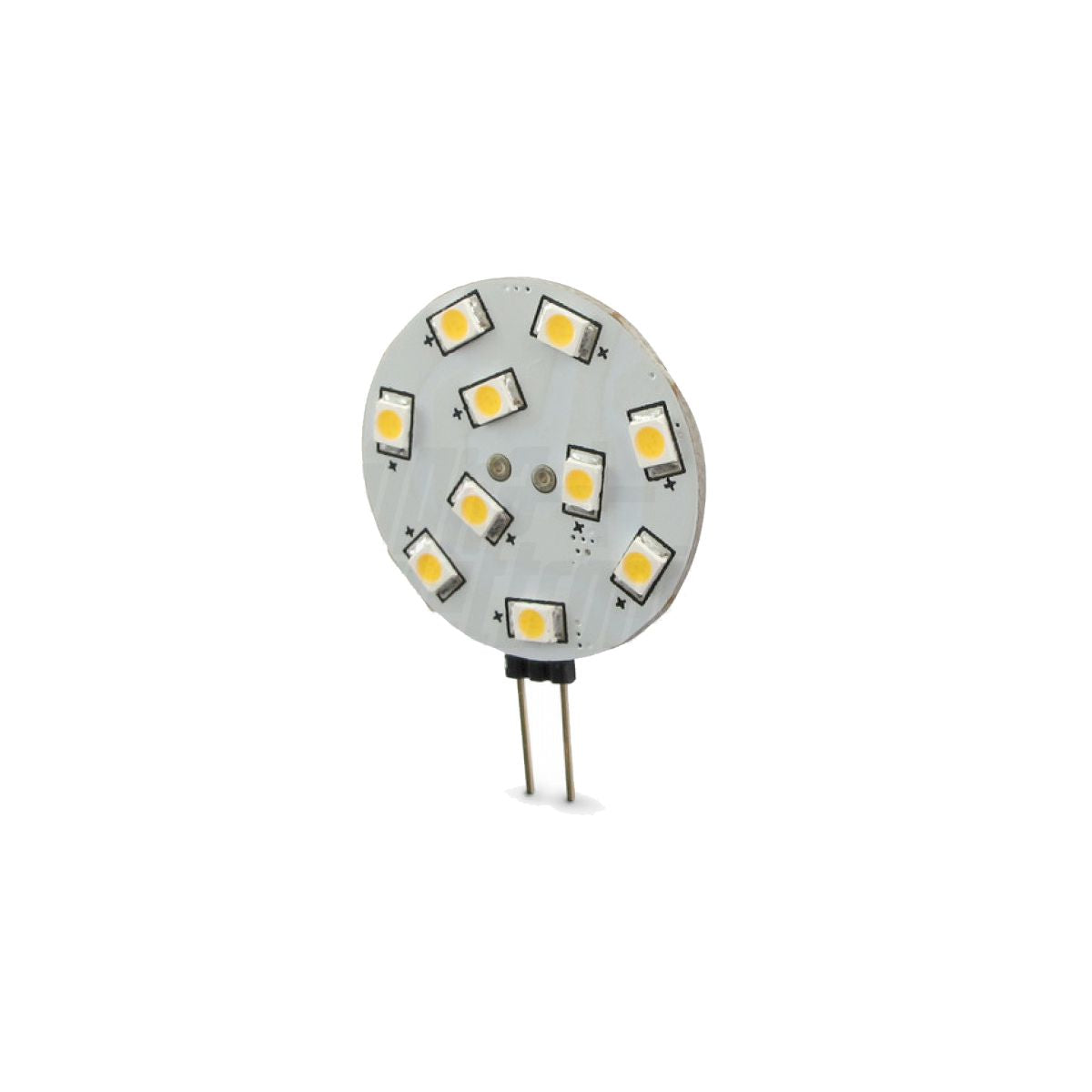
For drywall, you need the clip-on spotlights from the starry sky kits: they push into the 13 mm hole and stay in place on their own. Mini panel spots, on the other hand, are fastened with a nut on the back and are designed for thin, movable panels. We had a case with a customer who chose them for the ceiling: mounting them on drywall proved inconvenient, and in the end, she switched to the starry sky kits.
Where to put the power supply and dimmer
- Power supply: in the false ceiling, near an access hatch or inspection panel. It is the component that fails first: walling it up means having to break the wall later.
- Dimmer: usually in a 503 wall-mounted box, so it remains accessible. From the power supply, the 12V line runs down to the box, enters the dimmer, and from the output, it goes back up to the spotlights. The standard wall button connects directly to the dimmer. All details are in the starry sky dimmer guide.
What is in the kit (and what is not)
It is the first question we receive over the phone. The 50-piece kit contains the spotlights and the stabilized 12V power supply. The red/black flat cable for wiring is not included: it is purchased separately with the accessory kit, which includes 10 m of flat cable, caps, and a terminal adapter.
Before drilling, ask. An installed spotlight is a spotlight that has been drilled, wired, and can no longer be resold: we do not accept returns after installation. For this reason, every doubt must be clarified beforehand, and for us, this is normal: most of our starry sky customers call us before ordering, and it is also the reason why they don't call us back afterwards.
Frequently asked questions
My starry sky doesn't turn on: where do I start?
From the power supply. Verify that 230V is arriving at the input, then check the output polarity: red on positive, black on negative. If there is a dimmer, disconnect it and connect the spotlights directly to the power supply. If they turn on, the problem is in the dimmer or its connection. If nothing turns on yet, measure the output voltage with a multimeter.
A spotlight has burnt out: do I have to dismantle the ceiling?
No. Every spotlight has a quick connector on the cable: pull it out of the hole by pressing the clips, disconnect the connector, plug in the new one, and put it back in place. It is a one-minute job. The replacement can be purchased individually, in the same shade as the ones installed.
Why did multiple spotlights burn out at once?
It is almost always the power supply. The spotlights have an internal resistor that limits current and can withstand up to 12.5 Vdc: an unstabilized power supply, at no load, can rise to 13.5–14 V and burn them out. Measure the voltage with a multimeter before replacing the spotlights, otherwise, you will burn the new ones too.
Can I do a starry sky on an already finished ceiling?
It is possible, but it is the most difficult path: you drill from below, wire with your arms raised through the holes, and discover the metal profiles only by drilling. The method we recommend is drilling and wiring the boards before fixing them. If the ceiling is already done, consider replacing only the board in the area to be decorated.
Silver or transparent: which is less visible?
Transparent. The body takes on the color of the ceiling and almost disappears when the light is off, while the silver ring remains visible as a small metallic dot. When the light is on, the effect is very similar: the difference is seen during the day.
Find all kits, individual spotlights, and accessories in the LED starry sky kits selection.


